Virtual Environments
Before we come to it. We heard the term virtual reality, it is like the real world like experience, similar in all respects or close to similar. We have seen in the video games mostly. Virtual environments are mostly similar in understanding. It is the environment created to try to carry out different projects which require different settings. These settings are mostly application settings like a particular version of a tab, or different compatibility settings.
Virtualenv
Suppose you are running two complex projects on the same machine, one requires different settings of versions, functions, compatibility and other project require entirely different setting. You can’t just uninstall and reinstall stuff. Imagine they are both python projects one needs an earlier version of numpy and the other needs a later version of numpy. These types of scenarios are very common as there are different features associated with different versions. Each project will have a certain compatibility with all the systems.
How do you solve such a problem where your machine can be used to work on both the projects if you install one particular version of NumPy that then sets the NumPy library version for your entire system. You may have to again change by reinstalling the version compatible with others when you switch project. It becomes extremely tedious when you want to deploy software into the cloud, when you are running servers that need to run multiple different applications at the same time. The way we solve this problem is by virtual environments.
Python has this venv module which allows us to create virtual environments where we do not have to rely on any other alternate application or third party module.
Anytime you need to change the environment to use that different version of NumPy, you need to switch environments. You need to be in that directory where that virtual environment is and once you are in the directory you just need to activate the environment and then start the python interpreter.
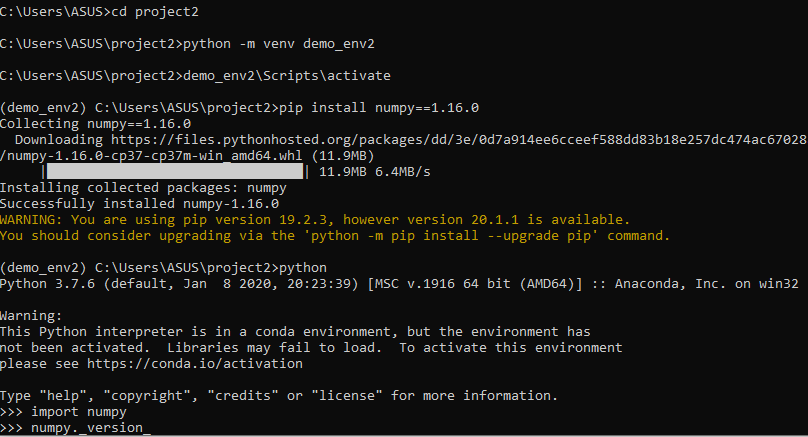
There are various hacks with this like requirements files, etc that will make this piece a bit longer.
Text Editors
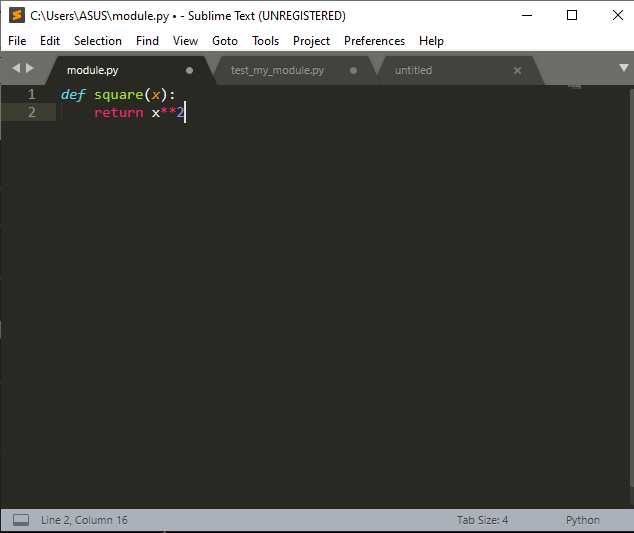
Text and edit, these two would have given you some idea on what it will further entail. Text editors are basically to edit text, well they work on plain text they hardly care about formatting and style. When you are writing a code you barely notice about making your code in bold letters or care about any style. Rather than this it allows one to freely code with features like syntax highlighting, aligning your text that enables one with better productivity(personal opinion). programs, web pages are all built with the help of text editors.
What is pytest?
Pytest is the python library designed to do all kinds of testing, by testing, I mean software testing. Before this, python had a unit test module. This library comes with various features (usually with assert statements; these are statements used to ensure bugs) during failures which make debugging easier, auto-discovery of test modules, and functions. The most striking feature is that it is backward compatible with unit test so you can easily migrate projects.
What is Tox?
Tox is a generic virtual environment management and test command-line tool that you can use for a wide variety of things. It’s particularly powerful in that it creates powerful isolated environments for running tests. It tends to solve configuration problems why it worked on my machine and not worked on somebody else’s machine type of things. It allows you to test against different versions of python. It is cross-platform compatible so you can run tox on Linux windows etc. Tox tends to be used with testing. tox.ini is the basic file extension of tox.
Useful Links

 Abhijeetr's Analytics